Animated Beginning Typing
Publisher:Flex Production
Platform:Windows 98/ME/NT/2000/XP
Licence:Shareware
Size:6.94MB
Tags:Animated Beginning Typing
Screenshots
Publishers description
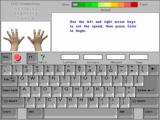
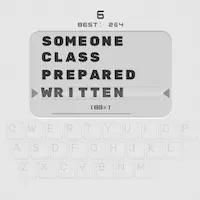
This program is designed for young typists (grades Pre-K to 3rd), and teaches proper typing technique for the letter keys. Sound effects and animation are used to make learning to type fun (and funny). Help is given with an animated typing tutorial, a screen to show proper fingering, and an on-screen keyboard which highlights the correct key when needed.
Because of the program's design - no arcade distractions (unless selected) and only one element presented at a time - it is a good choice for beginning typists or children with dysgraphia or other special learning needs.
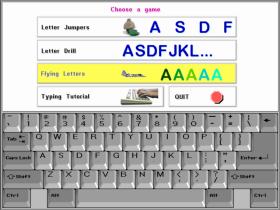
There are three lessons in the program to provide typing practice. "Jumping Letters" is designed for very young students, and can be played at any pace. Each correctly typed letter is rewarded with the letter being removed by an animated "critter" chosen by the pupil. When 10 letters are completed (context-sensitive help insures success), the child gets a silly cartoon.
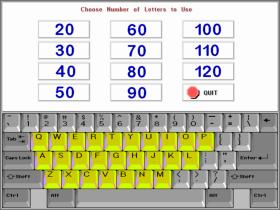
"Letter Drill" allows students to choose between 20 and 120 letters to practice. A report is generated at the end of the practice showing words per minute, errors, and time. The last letter in the sequence is removed in a silly way by a "critter", then the pupil is rewarded with a cartoon.
"Flying Letters" is an arcade style typing game for advanced students. The speed of the game is determined by the player (and can be changed at any time during the game). A report is generated at the end of the game, and a funny animation is displayed.
All three games allow the student to choose a group of letters (such as left hand home keys), or to practice all 26 letters. The animation in the program is achieved using stop-motion animation, as well as other techniques.
Main Animated Beginning Typing advantages
- training report
- funny animation
- highlights the correct key
- free choose a group of letters
Typing Games
Rapid Typing Reviews
good