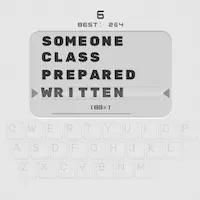
This chapter describes the lesson statistics.
Typing Statistics
To see the statistics, click on the second button in the left part of the main screen.
The statistics is groups by lessons completed. The statistics includes the overall statistics (course-wide) and the characters completed during a particular lesson (lesson-wide).
The overall statistics include:
Example:
The overall statistics include:
Example:
Your learning statistics is available in two formats: table and diagram. These formats are bound to one another; i.e. clicking on a point/bar on the diagram will highlight the corresponding row in the table and the other way around, clicking on a row in the table will highlight the corresponding point/bar on the diagram.
There are two tabs and a menu above the diagram. The tabs show course and lesson statistics. The lesson statistics shows the statistics of a lesson selected on the course statistics. You can also open the lesson statistics by double-clicking on the lesson on the course statistics. The menu has buttons for selecting a diagram - CPM/WPM, Accuracy, Time - and the button for discarding the statistics for the selected lesson (Del).
Here you can use the following shortcuts:
See also:
Free touch typing tutor for Windows
Download Typing Tutorwhen i use rapid typing this program is good for me
but i don't know where should i start?
Answer: To start click any key or click the button 'Start' in the bottom panel.
beerlao
Mar 10, 2010
Hi...
A great Tutor indeed...
I apriciate it as super typing tutor..
To much helpful to learn quick rapid typing within no time...
Thaks a lot
Shahjahan
Feb 23, 2010
Copyright © 2007-2010 Typing Tutor Labs. All Rights reserved. Privacy Policy